
Adobe XD ファイル → Framer 用プラグインA Framer plugin for Adobe XD files
XD のデザインを、
そのまま Framer へ。
Your Adobe XD files,
rebuilt in Framer.
.xd ファイルをドロップするだけ。アートボード・テキスト・ベクター・画像・グラデーション・影を、編集できる Framer のレイヤーとして数秒で再構築します。ファイルはブラウザ内で解析され、どこにもアップロードされません。 Drop an .xd file. Artboards, text, vectors, images, gradients and shadows come back as editable Framer layers in seconds. Parsed locally in your browser — your file is never uploaded.
プラグインは Framer Marketplace で公開中です。無料枠は各ファイル 3 アートボード。The plugin is available on the Framer Marketplace. Free tier: any 3 artboards per file.
- 97.3%ピクセル一致(公開 .xd 9 件)pixel match on 9 public .xd files
- 17,050レイヤーを 1 秒未満で変換layers converted in under a second
- 0アップロード。完全ローカルuploads — fully local

XD はメンテナンスモード。
でも、デザイン資産は残っている。XD is in maintenance mode.
Your design work doesn't have to be.
何年分ものアートボードを、スクリーンショットを見ながら Framer で作り直していませんか。SVG 書き出しはテキストが編集できず、クラウド変換は Figma や Sketch 向けで、アップロードと数分の待ち時間が必要です。XD Bridge は Framer のために作られた、ローカルで動く唯一の直接インポーターです。Rebuilding years of artboards by eye is slow. SVG export leaves text uneditable, and cloud converters target Figma or Sketch, need an upload and take minutes. XD Bridge imports straight into Framer, locally.
これまでToday
- SVG で書き出す → テキストが画像化Export SVG → text becomes outlines
- クラウド変換 → アップロードして数分待つCloud converter → upload, wait minutes
- Figma を経由 → 2 回変換して崩れるHop through Figma → two lossy conversions
- 手で作り直す → 1 画面 30 分以上Rebuild by hand → 30+ min per screen
XD Bridge
- テキストは編集可能なまま、フォントも対応付けText stays live, with font mapping
- ブラウザ内で解析、数秒で完了Parsed in your browser in seconds
- .xd から Framer へ直接Straight from .xd to Framer
- 制約は Framer のピンに変換Constraints become Framer pins
3 ステップで移行Three steps
- 1
.xd をドロップDrop your .xd
Framer でプラグインを開き、ローカルに保存した .xd ファイルを選択。Open the plugin in Framer and pick a locally saved .xd file.
- 2
アートボードを選ぶPick artboards
一覧から必要な画面だけ選択。無料版は 1 ファイルにつき好きな 3 枚まで(同じ 3 枚は何度でも再インポート可)。Choose the screens you need. Free covers any 3 artboards per file (re-import those 3 as often as you like).
- 3
Framer で編集Edit in Framer
フレーム・テキスト・ベクター・画像として配置。代替フォントや未対応の要素はレポートで確認。Layers land as frames, text, vectors and images, with a report of font substitutions and anything skipped.
変換される要素What comes across
フレームと図形Frames & shapes
矩形・角丸・楕円・グループ・クリップ。パスとポリゴンは SVG に。Rects, radii, ellipses, groups and clipping. Paths and polygons as SVG.
テキストとフォントText & fonts
ウェイト・サイズ・色・字間・行間・大文字変換。Google Fonts へ自動で対応付け。Weight, size, colour, tracking, leading, case. Auto-mapped to Google Fonts.
塗りと効果Fills & effects
単色・線形/円形グラデーション・画像の塗り・ドロップシャドウ・線。Solid, linear and radial gradients, image fills, drop shadows, borders.
レスポンシブ制約Constraints
XD の固定・伸縮・中央を Framer のピンとサイズに近似変換。XD pin and stretch settings approximated as Framer pins and sizes.
リピートグリッドRepeat grids
各セルを個別のレイヤーに展開。シンボルも実体化。Flattened into individual layers; symbols are expanded.
画像Images
埋め込み画像は重複なしで 1 回だけアップロード。塗り/フィットを保持。Embedded images uploaded once each, keeping fill and fit.
現在未対応:Not yet: プロトタイプのインタラクション、コンポーネントのステート、背景ぼかし、矩形以外のマスク、アイコンフォント(PUA)。角度グラデーションは線形で近似します。prototype interactions, component states, background blur, non-rectangular masks, icon fonts (PUA). Angular gradients are approximated as linear.
再現度を、数字で公開Fidelity, measured
オープンソースの .xd ファイル 9 件で、XD 自身が埋め込んだプレビュー画像と XD Bridge の再構築を比較しました。Nine open-source .xd files, compared against the preview image XD itself embedded in each file.
| ファイルFile | レイヤーLayers | SSIM | 一致Match |
|---|---|---|---|
| Dashboard (CTRM) | 17,050 | 0.967 | 98.3% |
| Typography (Tailwind kit) | 509 | 0.983 | 98.6% |
| Mobile app screens | 1,471 | 0.973 | 98.7% |
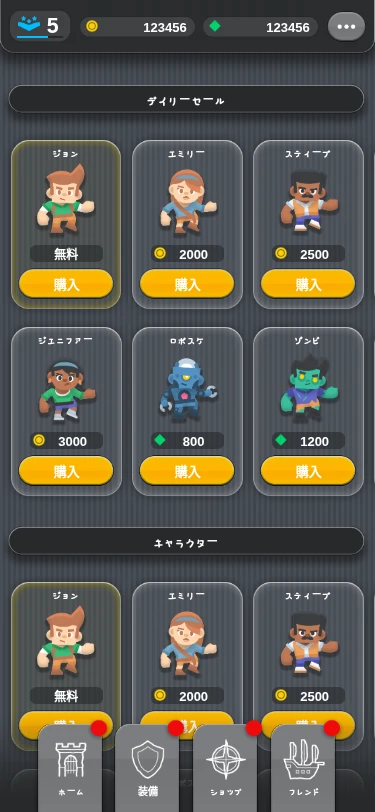
| Game UI (JP) | 1,626 | 0.916 | 96.4% |
| Bootstrap kit | 2,681 | 0.910 | 95.1% |
| Shapes & gradients | 98 | 1.000 | 100% |
測定は Framer と同等の HTML レンダリングで実施。代替フォント(例:SF Pro → Inter)による小さなずれを含みます。Measured with an HTML render that mirrors Framer's layer model; includes small offsets from font substitution (e.g. SF Pro → Inter).
料金Pricing
Free
¥0
- 各ファイルで好きな 3 アートボード(ファイル数は無制限)Any 3 artboards of every file (unlimited files)
- すべての変換機能Every conversion feature
- フォント対応レポートFont mapping report
ファイル単位アンロックPer-file unlock
¥1,980 買い切り one-time
約 US$12.49(米ドルで決済)≈ US$12.49, charged in USD
- 1 つの .xd の全アートボードEvery artboard of one .xd file
- 何度でも再インポートRe-import as often as you like
- プラグイン内で購入すると即時アンロックBuy inside the plugin: unlocks instantly
Studio
¥2,980 / 月 / mo
約 US$18.99 / 月(米ドルで決済)≈ US$18.99 / mo, charged in USD
- ファイル・アートボード無制限Unlimited files and artboards
- 3 台まで有効化Activate on 3 devices
- いつでも解約Cancel anytime
決済は Creem(販売代理店 / Merchant of Record)が米ドルで処理します。円表示は参考価格(1 US$ ≈ ¥158)で、実際の請求額はカード会社の為替レートにより異なります。適用される税金は決済画面に表示されます。詳しくは特定商取引法に基づく表記および利用規約をご覧ください。Payments are processed in US dollars by Creem, our merchant of record. Yen prices are for reference (US$1 ≈ ¥158); your card issuer's rate applies. Applicable tax is shown at checkout. See the commercial disclosure and Terms of Service.
アップデートを受け取るGet updates
Framer Marketplace の最新情報や新機能をメールでお知らせします。スパムは送りません。We'll email you about Framer Marketplace and product updates. No spam.
FAQ
ファイルはアップロードされますか?Is my file uploaded anywhere?
いいえ。.xd はプラグイン内(あなたのブラウザ)で解析されます。Framer に送られるのは、インポートを選んだレイヤーと画像だけです。No. The .xd is parsed inside the plugin, in your browser. Only the layers and images you choose to import are sent to your Framer project.
クラウドドキュメントにも対応していますか?Do cloud documents work?
XD でクラウドドキュメントを開き「ファイル → 名前を付けて保存 → ローカル」で .xd を書き出してください。Open it in XD and use File → Save As → local to get an .xd file first.
日本語フォントはどうなりますか?What happens to fonts?
Google Fonts にある書体はそのまま、ない書体は近い書体(例:ヒラギノ → Noto Sans JP)に置き換え、一覧で表示します。Google Fonts families are kept; others are mapped to the closest match (e.g. SF Pro → Inter) and listed in the report.
Adobe の公式ツールですか?Is this an Adobe product?
いいえ。XD Bridge は独立したツールで、Adobe および Framer とは提携していません。公開されているファイル形式の挙動をもとに独自に実装しています。No. XD Bridge is independent and not affiliated with Adobe or Framer. It's a clean-room implementation based on publicly observable file behaviour.
無料版の制限は?What's the free limit?
各ファイルの最初の 3 アートボードまで。変換品質や機能は有料版と同じです。The first three artboards of each file. Conversion quality and features are identical to the paid plans.
「ファイル単位アンロック」とは?How does the per-file unlock work?
プラグインで .xd を開き「このファイルをアンロック」を押すと決済画面が開きます。支払いが完了すると、そのファイル(内容のハッシュで識別)の全アートボードが使えるようになります。XD で再保存して内容が変わったファイルは別ファイル扱いです。たくさんのファイルを移行するなら Studio がお得です。Open the .xd in the plugin and press “Unlock this file”. When checkout completes, every artboard of that file (identified by a hash of its contents) unlocks. A file re-saved in XD with changes counts as a new file. Migrating many files? Studio is cheaper.
返金・解約は?Refunds and cancelling?
デジタル商品のため、原則として購入後の返品・返金はお受けしていません。ただし不具合があり当方で解決できない場合は、購入日から 14 日以内に support@jimmyjing.dev へご連絡いただければ返金します。購入前に無料版(3 アートボード)でお手元のファイルを試せます。Studio は Creem のカスタマーポータルからいつでも解約でき、次回更新日以降は請求されません。Digital goods are non-refundable once delivered, except when the product is defective and we can't fix it: email support@jimmyjing.dev within 14 days of purchase for a refund. Try your own file free (3 artboards) before buying. Cancel Studio anytime from the Creem customer portal; you won't be billed again.